


 (+91) 79-26426364
.jpeg)
.jpeg)
.jpeg)
.jpeg)
.jpeg)
🚀 Bonrix CRM & Call Center Auto Dialer System – Affordable CRM, Lead Management &
Calling Solution for Businesses
Bonrix Software Systems, Ahmedabad, Gujarat (INDIA)
🌐 [https://www.bonrix.co.in](https://www.bonrix.co.in)
🌐 CRM: [https://crm.bonrix.in](https://crm.bonrix.in)
Bonrix Software Systems provides a ready-to-use, general-purpose CRM, Lead
Management, Lead Follow-Up and Call Center Auto Dialer System specially
designed for small call centers, MSMEs, startups, sales teams, service companies,
telecalling teams and individual businesses.
The Bonrix CRM & Call Center Auto Dialer System is a practical and
cost-effective alternative to expensive SaaS-based CRM platforms. Businesses can manage
leads, telecallers, customer follow-ups, scheduled calls, call recordings, reports and
communication from one centralized system.
☎️ Integrated Calling & Auto Dialer
One of the biggest advantages of Bonrix CRM is its flexibility to work with different
calling technologies.
It can support or integrate with:
✅ GSM SIM-based USB Dongle Dialer
✅ Android Mobile Handset Dialer
✅ VoIP / SIP Dialer
✅ Call Center Dialer
✅ Third-Party Dialing Systems
✅ Custom Dialer APIs
✅ Voice AI Agent Auto Dialer
This allows organizations to select a calling infrastructure according to their budget and
operational requirements.
📊 Manager Dashboard & Real-Time Lead Overview
Managers can quickly view important CRM statistics such as:
• Total Leads
• Due Leads
• Scheduled Calls
• Closed Leads
• Overall Follow-Ups
• Telecaller Performance
• Successful & Failed Calls
• Category-wise Lead Summary
• Lead State Summary
• Monthly / Yearly Calling Trends
Graphical reports help management understand team productivity and lead conversion
performance.
📋 Complete Lead Management
Create individual leads manually or upload hundreds or thousands of leads using CSV
/ Excel files.
Bulk import provides flexible field mapping for customer information such as:
• Customer Name
• Mobile Number
• Category
• Country
• Lead Source
• Telecaller
• Schedule Date
• Other custom information
Imported leads can also be pushed directly into the Auto Dialer for
systematic calling campaigns.
🎯 Lead Category & Lead State Management
Businesses can create their own categories and define custom lead stages such as:
New Lead → Contacted → Interested → Follow-Up → Negotiation →
Closed
Different businesses can customize these stages according to their sales process.
👥 Telecaller & Call Center Agent Management
Managers can create separate login accounts for each telecaller or call center
agent.
Each telecaller gets an independent working panel where assigned leads, follow-ups,
scheduled calls and customer information can be managed easily.
Managers can monitor team activity while maintaining centralized control.
🔄 Advanced Lead Assignment & Bulk Reassignment
Leads can be filtered according to:
• Category
• Lead Status
• Assignment Status
• Telecaller
• Follow-Up Status
Multiple leads can then be assigned or reassigned to specific telecallers in bulk.
📞 Detailed Call Reports & Audit Logs
Bonrix CRM maintains detailed calling records for monitoring and audit purposes.
Successful call reports can include:
• Customer Details
• Calling Time
• Call Duration
• Telecaller Name
• Lead Status
• Remarks
• Follow-Up Information
• Call Audio Recording
Failed, unanswered or busy calls can also be tracked separately and can be re-added to the
Auto Dialer when required.
🤖 Voice AI Agent Integration
Bonrix CRM can also be connected with a Voice AI Agent capable of
automatically dialing customers, handling initial conversations, filtering leads and
identifying interested customers.
Voice AI can work with scheduling and lead filtering workflows so human telecallers can
focus on more valuable prospects.
💬 SMS, WhatsApp & Email Integration
Communication channels can be integrated with the CRM, including:
✅ SMS
✅ WhatsApp
✅ Email
Businesses can create workflows where quotations, product details, payment links or other
customer information can be sent immediately during or after a call.
⚙️ Third-Party Integration & Custom Development
Bonrix CRM can be customized to receive leads from:
• Websites
• Landing Pages
• Lead Generation Portals
• Mobile Apps
• Existing ERP Systems
• Advertising Platforms
• External APIs
• Other Third-Party Applications
Our development team can provide customized APIs and integrations according to your business
workflow.
🏢 Local Server or Cloud Deployment
Bonrix CRM provides flexible deployment options.
☁️ Cloud Subscription / Rental Model – Access CRM securely through the
internet.
🏢 Local / On-Premise Installation – Deploy CRM within your company
infrastructure.
💻 One-Time Purchase Option – Suitable for organizations looking for
long-term ownership instead of recurring SaaS expenses.
✨ Why Choose Bonrix CRM?
✅ Affordable CRM solution
✅ Easy to use and manage
✅ Simple lead follow-up workflow
✅ Integrated calling capabilities
✅ Dedicated telecaller login
✅ Bulk lead import and assignment
✅ Call recording and audit history
✅ Customizable lead stages
✅ Local and cloud deployment
✅ One-time purchase and rental options
✅ Third-party API integration
✅ Custom CRM development support
✅ SMS / WhatsApp / Email integration
✅ Voice AI Agent integration
✅ Suitable for small and growing businesses
🌐 [https://www.bonrix.co.in](https://www.bonrix.co.in)
🌐 [https://crm.bonrix.in](https://crm.bonrix.in)
📧 [info@bonrix.net](mailto:info@bonrix.net)
📱 +91-7284045500
📱 +91-9426045500
Bonrix CRM & Call Center Auto Dialer System – Manage Leads. Automate Calls. Improve
Follow-Ups. Increase Conversions.
#Bonrix #BonrixCRM #CRM #CRMSoftware #CRMSystem #LeadManagement #LeadManagementSoftware
#LeadGeneration #LeadFollowUp #SalesCRM #CallCenterCRM #CallCenterSoftware
#CallCenterSolution #AutoDialer #AutoDialerSoftware #CallCenterAutoDialer #OutboundDialer
#InboundDialer #PredictiveDialer #Telecaller #Telecalling #TelecallerSoftware #Telemarketing
#SalesAutomation #SalesManagement #SalesSoftware #CustomerRelationshipManagement
#CustomerManagement #CustomerSupport #CustomerService #CallManagement #CallRecording
#CallTracking #CallAnalytics #CallCenterManagement #ContactCenter #ContactCenterSoftware
#GSMModem #GSMDialer #USBDongle #HuaweiDongle #AndroidDialer #MobileDialer #VoIP #VoIPDialer
#SIPDialer #VoiceAI #VoiceAIAgent #AICalling #AIAutoDialer #ConversationalAI #AIForBusiness
#BusinessAutomation #WorkflowAutomation #FollowUpAutomation #SMSIntegration
#WhatsAppIntegration #WhatsAppCRM #EmailIntegration #APIIntegration #CRMIntegration
#CustomCRM #CRMDevelopment #CloudCRM #OnPremiseCRM #CloudSoftware #BusinessSoftware
#EnterpriseSoftware #MSME #MSMEIndia #SmallBusiness #SmallBusinessIndia #StartupIndia
#IndianStartup #SalesTeam #InsideSales #B2BSales #MarketingAutomation #DigitalTransformation
#BusinessGrowth #Ahmedabad #Gujarat #India #MadeInIndia #SoftwareCompany
#SoftwareDevelopment #BonrixSoftwareSystems
| Login Details | Credentials | Web Link |
|---|---|---|
| Manager Login Panel |
https://crmcloud.bonrix.in/login.html
user id - google user password - google |
 |
.jpeg)
.jpeg)
.jpeg)
Screenshots
.png)
.png)
.png)
.png)
.png)
.png)
.png)
.png)
.png)
.png)
.png)
.png)
.png)
Video
Bonrix CRM & Call Center Auto Dialer – Affordable Lead Management, Follow-Up & Calling
Solution
🚀 Bonrix CRM & Call Center Auto Dialer System – Affordable CRM, Lead Management
& Calling Solution
Bonrix Software Systems, Ahmedabad, Gujarat (INDIA)
🌐 https://www.bonrix.co.in
🌐 https://crm.bonrix.in
Bonrix Software Systems provides a ready-to-use CRM, Lead Management, Lead
Follow-Up and Call Center Auto Dialer System for small call centers, MSMEs,
startups, sales teams, service companies and telecalling teams.
Bonrix CRM is a practical, low-cost alternative to expensive SaaS CRM platforms, helping
businesses manage leads, telecallers, follow-ups, calls, recordings, reports and
customer communication from one system.
☎️ Integrated Calling & Auto Dialer
Bonrix CRM can integrate with:
✅ GSM SIM-based USB Dongle Dialer
✅ Android Mobile Handset Dialer
✅ VoIP / SIP Dialer
✅ Call Center Dialer
✅ Third-Party Dialing Systems
✅ Custom Dialer APIs
✅ Voice AI Agent Auto Dialer
Choose the calling infrastructure that best fits your budget and operations.
📊 Manager Dashboard & Reports
Managers can monitor:
• Total, Due, Scheduled & Closed Leads
• Follow-Ups
• Telecaller Performance
• Successful & Failed Calls
• Category-wise & State-wise Lead Summary
• Monthly / Yearly Calling Trends
Graphical reports provide a clear view of productivity and conversions.
📋 Complete Lead Management
Create leads manually or bulk upload them through CSV / Excel. Flexible field mapping
supports Customer Name, Mobile Number, Category, Country, Lead Source, Telecaller,
Schedule Date and more.
Imported leads can be pushed directly into the Auto Dialer.
🎯 Custom Lead Categories & Stages
Define your own sales workflow, for example:
New Lead → Contacted → Interested → Follow-Up → Negotiation →
Closed
👥 Telecaller & Agent Management
Create separate telecaller logins for assigned leads, follow-ups, scheduled calls and
customer details while managers retain centralized control.
🔄 Bulk Lead Assignment
Filter leads by category, status, assignment, telecaller or follow-up status, then
assign or reassign multiple leads in bulk.
📞 Call Reports & Audit Logs
Maintain records of customer details, call time, duration, telecaller, lead status,
remarks, follow-ups and audio recordings. Failed, unanswered or busy calls can be
tracked and re-added to the Auto Dialer.
🤖 Voice AI Agent Integration
Integrate Voice AI Agents for automatic calling, initial conversations, lead filtering
and qualification so telecallers can focus on high-value prospects.
💬 SMS, WhatsApp & Email Integration
Integrate SMS, WhatsApp and Email to send quotations, product details, payment links and
other customer information.
⚙️ Third-Party Integration & Custom Development
Receive leads from websites, landing pages, lead portals, mobile apps, ERP systems,
advertising platforms and external APIs. Custom integrations can be developed for your
workflow.
🏢 Flexible Deployment
☁️ Cloud Subscription / Rental Model
🏢 Local / On-Premise Installation
💻 One-Time Purchase Option
✨ Why Choose Bonrix CRM?
✅ Affordable and easy to use
✅ Lead follow-up management
✅ Integrated calling
✅ Dedicated telecaller login
✅ Bulk lead import and assignment
✅ Call recording and audit history
✅ Customizable lead stages
✅ Cloud or local deployment
✅ One-time purchase or rental options
✅ API and third-party integration
✅ SMS / WhatsApp / Email support
✅ Voice AI Agent integration
✅ Custom CRM development support
Suitable for call centers, sales teams, MSMEs, startups, finance businesses, real estate
companies, education institutes, service companies, marketing agencies and customer
support teams.
📞 Contact Bonrix Software Systems
Ahmedabad, Gujarat, INDIA
🌐 https://www.bonrix.co.in
🌐 https://crm.bonrix.in
📧 [info@bonrix.net](mailto:info@bonrix.net)
📱 +91-7284045500
📱 +91-9426045500
Bonrix CRM & Call Center Auto Dialer System – Manage Leads. Automate Calls.
Improve Follow-Ups. Increase Conversions.
#Bonrix #BonrixCRM #CRM #CRMSoftware #LeadManagement #LeadFollowUp #SalesCRM
#CallCenterCRM #CallCenterSoftware #AutoDialer #CallCenterAutoDialer #OutboundDialer
#InboundDialer #Telecaller #Telecalling #SalesAutomation #CustomerRelationshipManagement
#CallManagement #CallRecording #CallTracking #ContactCenter #GSMDialer #USBDongle
#HuaweiDongle #AndroidDialer #VoIP #SIPDialer #VoiceAI #VoiceAIAgent #AICalling
#ConversationalAI #BusinessAutomation #WorkflowAutomation #SMSIntegration
#WhatsAppIntegration #WhatsAppCRM #EmailIntegration #APIIntegration #CRMIntegration
#CustomCRM #CloudCRM #OnPremiseCRM #MSME #MSMEIndia #SmallBusiness #StartupIndia
#SalesTeam #B2BSales #MarketingAutomation #DigitalTransformation #BusinessGrowth
#Ahmedabad #Gujarat #India #MadeInIndia #SoftwareCompany #BonrixSoftwareSystems
| File Name | Download |
|---|---|
| Android Dialer | 📥 Download |
| DinstarSIP Trunk Dialer | 📥 Download |
| Huawei Dialer | 📥 Download |
| SIP Dialer | 📥 Download |

Bonrix CRM with Mobile Auto Dialer

Bonrix CRM With Hybrid Mobile Auto Dialer

Bonrix CRM Mobile Auto Dialer: Streamlined Outbound Calls
.jpg)
Bonrix CRM Speed Dialer
.png)
Bonrix CRM & Auto Dialer – Telecaller Management Solution
.png)
Bonrix CRM Mobile AutoDialer Android App for Telecallers & Call Center Agents
.png)
Bonrix CRM with Voice AI, Mobile Auto Dialer, GSM Modem & Cloud Telephony
.jpeg)
Bonrix CRM Auto Dialer: AI Voice Transcription, Speaker Diarization, LLM Lead Scoring
for Sales Team
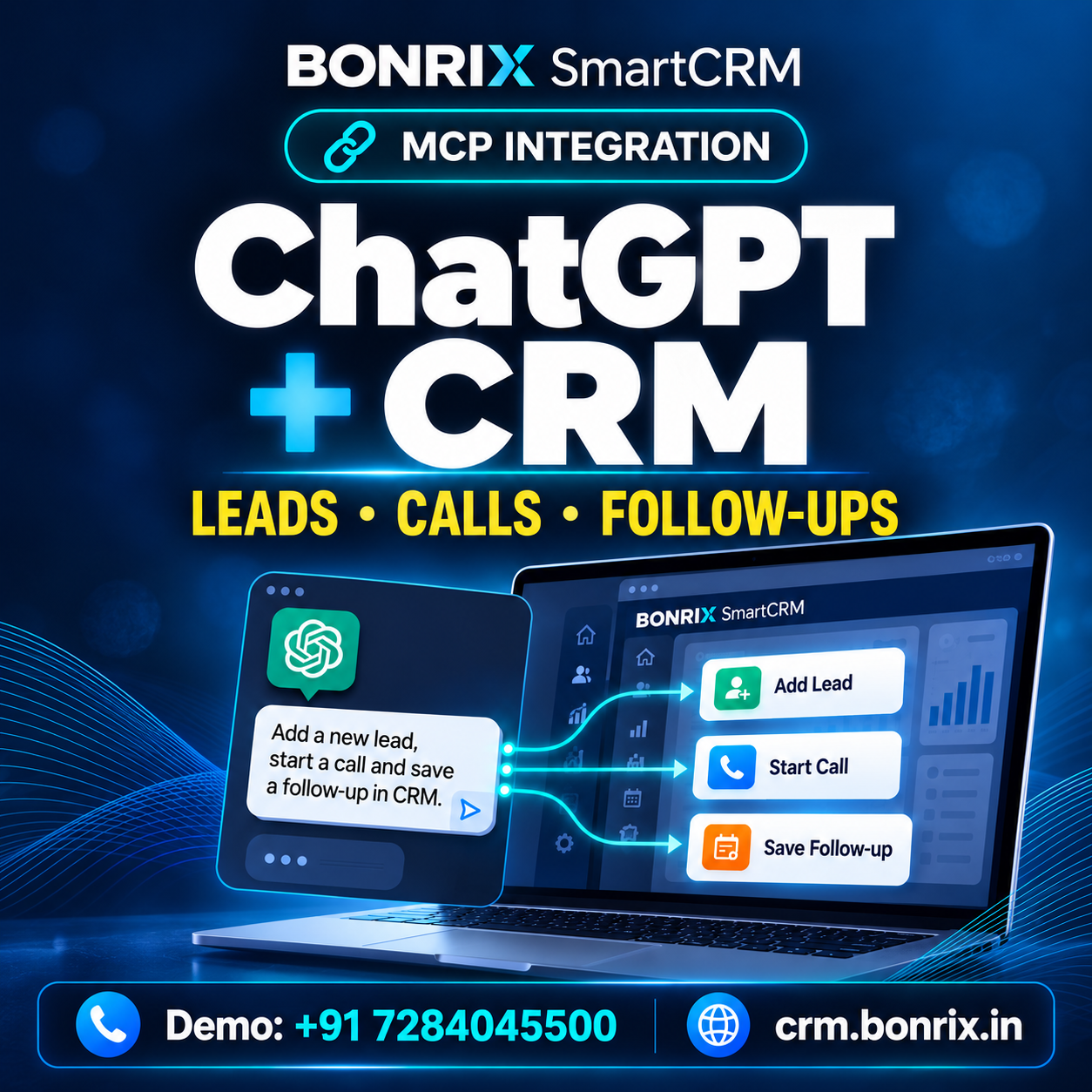
ChatGPT + Bonrix SmartCRM | Add Leads, Make Calls & Save Follow-Ups Using MCP
.png)
Bonrix GSM Dialer Demo | Incoming & Outgoing Calls, SMS & Call History
Bonrix SmartCRM Auto Dialer Demo | GSM Calling, Lead
Management & Follow-Up
📞 Bonrix SmartCRM Auto Dialer – Complete Product Demo
Watch the Bonrix SmartCRM Category-Wise Auto Dialer working with the Bonrix Desktop GSM Dialer. This product demo shows how telecalling and sales teams can manage leads, make SIM-based GSM calls, track call activity, record call outcomes, and schedule customer follow-ups through one connected CRM workflow.
Bonrix SmartCRM helps businesses organize leads by category, automatically dial customer numbers through a connected GSM modem, display lead information during calls, maintain call history, and record the outcome of every customer conversation.
🚀 FEATURES
DEMONSTRATED
✅ Category-wise automatic lead dialing
✅ Date-range lead search
✅ Category-wise lead count
✅ Start and stop auto dialing directly from the CRM
✅ Lead details displayed during calling
✅ Desktop GSM Dialer integration
✅ Connected modem and network information
✅ Live call status including ringing and ended
✅ Outgoing call history
✅ Phone number, call status, and call duration
✅ Call audio playback and download
✅ Successful-call follow-up form
✅ Lead status and customer response update
✅ Next follow-up date and time scheduling
✅ Remarks and conversation notes
✅ Failed-call response options
✅ Busy, Call Waiting, and Switched Off status
✅ Network Error and Number Does Not Exist status
✅ Ringing No Response status
✅ Follow-up countdown timer
✅ End-call controls from the CRM
💼 USE
CASES
• Telecalling Teams
• Sales and Marketing Teams
• Call Centers
• Customer Support Teams
• Lead Generation Businesses
• Outbound Calling Teams
• Customer Follow-Up Management
🎯 BENEFITS
Bonrix SmartCRM can help reduce manual dialing work, organize call records, and simplify customer follow-up management. Managers and operators can monitor calling activity, update lead status, record customer responses, and maintain structured follow-up information from the CRM.
📌 GSM CALLING
GSM Calling means making calls through a SIM card inserted into a connected GSM modem. The CRM manages the dialing workflow, while the actual call is placed through the mobile network using the connected GSM Dialer.
📞 FOR DEMO &
SALES
ENQUIRIES
Call: +91 7284045500
📧 Email: crm.bonrix@gmail.com
🌐 CRM Website: https://crm.bonrix.in/
🌐 Company Website: https://www.bonrix.co.in/
📍 Location: Bonrix Software Systems, Ahmedabad, Gujarat, India
Contact Bonrix Software Systems to learn more about SmartCRM, GSM Calling, Auto Dialer, Lead Management, Call Tracking, and Customer Follow-Up solutions.
👍 Like this video, share it with your team, and subscribe for more Bonrix product demonstrations.
#Bonrix #BonrixSmartCRM #SmartCRM #AutoDialer #GSMCalling #GSMDialer #TelecallingSoftware #CRMSoftware #LeadManagement #SalesAutomation #FollowUpManagement #CallHistory #CallRecording #OutboundCalling #SalesDialer #CallCenterSoftware #CustomerSupport #BusinessAutomation #SalesTeam #LeadTracking #Telemarketing #MadeInIndia
Bonrix SmartCRM Incoming Call Demo | GSM Dialer, Lead Details & Follow-Up Management
📞 Bonrix SmartCRM Incoming Call Management with Desktop GSM Dialer
Watch how Bonrix SmartCRM works with the Bonrix Desktop GSM Dialer to manage incoming customer calls, display matching lead records, update customer responses, and schedule follow-ups from a single CRM interface.
This video demonstrates the complete workflow, from receiving an incoming call to viewing the matching customer information, recording the conversation outcome, saving follow-up details, and reviewing the updated lead information.
For telecalling and sales teams, having customer details available during a call can help maintain conversation continuity. With the demonstrated Bonrix SmartCRM workflow, operators can review matching records and record the next action after speaking with the customer.
🎥 FEATURES DEMONSTRATED IN THIS VIDEO
✅ Incoming Call
Notification
View an incoming call alert with the caller’s number so
the operator can identify
the call and take action.
✅ Answer and
Hang-Up
Controls
Use the desktop GSM dialer’s call controls to answer an
incoming call or end the
conversation.
✅ Matching Lead
Details
View
lead records associated with the incoming caller’s mobile number. The displayed list
includes information
such as lead ID, name, mobile number, lead state, progress state, and category.
✅ Desktop GSM
Dialer
Integration
See the Bonrix Desktop GSM Dialer working alongside the
web CRM, bringing calling
and lead management together in the same workflow.
✅ Modem and Network
Information
The dialer interface displays connected modem details,
network information, signal
status, and communication port information.
✅ Incoming Call
History
Review incoming call entries with the caller number, call
status, and duration to
understand recent calling activity.
✅ Category and Lead
Selection
Select the relevant category or lead while entering
follow-up details, helping the
operator attach the update to the appropriate record.
✅ Lead Status
Updates
Update
the lead state after the conversation to reflect the current stage of the customer
enquiry.
✅ Customer Response
Entry
Select the customer’s response to record the outcome of the
conversation and support the
next follow-up action.
✅ Follow-Up
Scheduling
Set a
follow-up date and time when another customer interaction is required.
✅ Customer
Remarks
Add notes
about the conversation, customer requirements, pending information, or the next
action.
✅ Save and Review
Updates
Save the follow-up information and review the updated
details in the All
Leads section.
🔄 WORKFLOW
SHOWN
Incoming customer call → View matching lead details →
Answer using the GSM
dialer → Complete the conversation → Select the relevant lead → Update status
and response → Schedule the
next follow-up → Add remarks → Save the update.
💼 WHO CAN USE THIS
WORKFLOW?
• Telecalling teams handling customer enquiries
• Sales
teams managing leads and
callbacks
• Customer support staff recording conversation outcomes
•
Businesses using a desktop GSM
dialer with their CRM
• Operators who need customer records available during
incoming calls
Keeping call activity and follow-up information organized can help teams review previous interactions and understand what needs to happen next. Customer remarks can also provide useful context when the same lead is handled again.
Bonrix SmartCRM brings lead details, customer responses, call activity, and follow-up scheduling together to support an organized calling and lead-management process.
📞 FOR DEMO &
SALES
ENQUIRIES
Call: +91 7284045500
📧
Email:
crm.bonrix@gmail.com
🌐 Website: https://crm.bonrix.in/
📍 Location:
Bonrix Software Systems,
Ahmedabad, Gujarat, India
Contact us to discuss Bonrix SmartCRM and Desktop GSM Dialer integration for your business.
👍 Like this video if you
found the demo
useful.
💬 Comment with your CRM and telecalling requirements.
🔔 Subscribe
for more Bonrix software
demonstrations and product updates.
#Bonrix #BonrixSmartCRM #CRMSoftware #GSMDialer #IncomingCallManagement #TelecallingSoftware #LeadManagement #FollowUpManagement #SalesCRM #CustomerRelationshipManagement #DesktopDialer #CRMIntegration #CallManagement #LeadTracking #CustomerSupport #SalesFollowUp #FollowUpScheduling #CustomerManagement #BusinessSoftware #TelecallerCRM #SalesTeam #CallHistory #GSMModem #SoftwareDemo #Ahmedabad